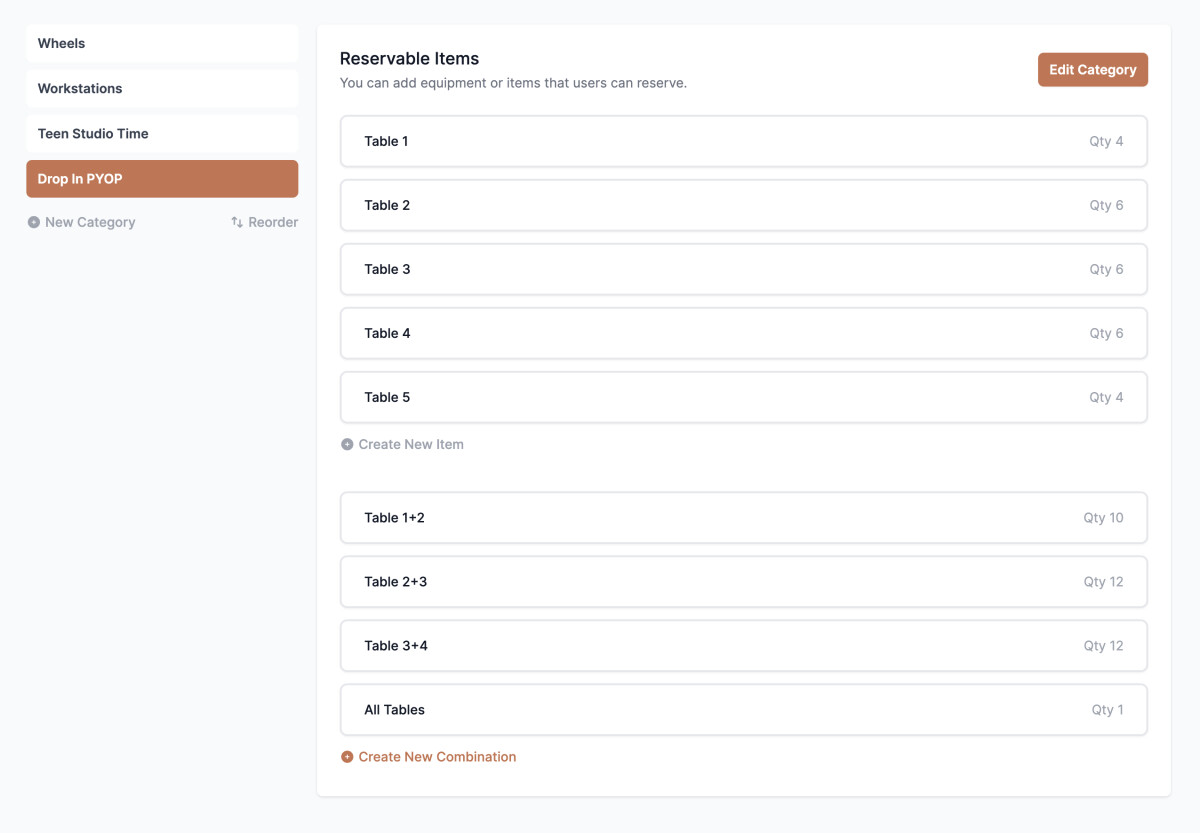
Reservable Categories
This is where you build out what specific stations your studio has available to reserve. Typically, this is a number of wheels and/or workstations, but you can customize to what you need!
Click "Edit Category" to change name of stations, or "New Category" on left side to create different reservable spaces.
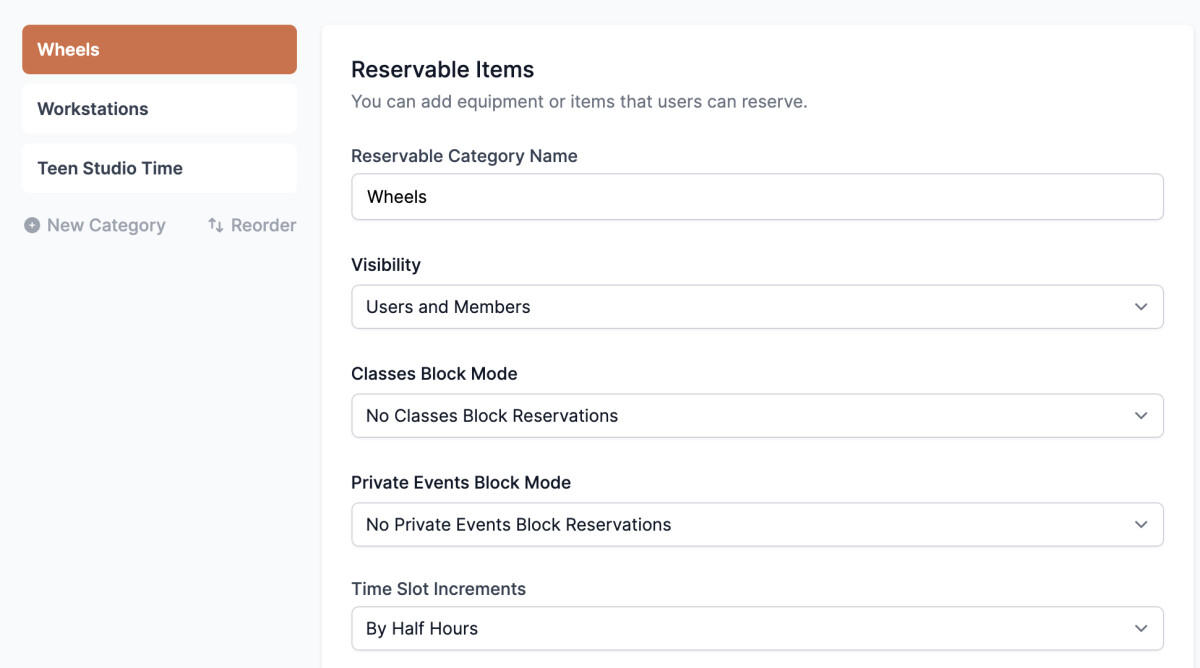
There are several settings to decide about for your studio when setting up Reservable Categories.
Category Name: As it will appear to your users to select when seeking to make a reservation
Visibility: Who gets to see and make these reservations? Note: When including Public here, it will automatically list a public-facing URL to link.
Classes Block Mode: Some studios have scenarios where if there are classes scheduled at the same time that would take up the space needed for a Reservable Category, you may need “Block” so no one reserves time in that Category for those time(s).
Private Events Block Mode: Same as above, but with any Private Events scheduled. I.e. if and when Private Events are booked, would they need to use any/all wheels? Then you'd want to block reservations from being made at those times.
Time Slot Increments: This is where you can define the granularity of time shown to the user for booking. We offer whole hour blocks or half hour blocks.
Minimum/Default/Maximum Hours: What is the shortest amount of time you want to allow others to make reservations for this category at your studio? (I.e. if half hour, enter “.5”) What do you want the system to “default” to? What is the longest someone could book a reservation? Most of the time the reserver will be given a choice of how long they want to stay. If you set all three of these values to the same number then that will be set automatically and the field to choose the length of the reservation will not appear while booking.
Hours Before Start Reservation Can Be Created: A positive number 1 here would prevent someone from cancelling or changing their reservation that starts up to 60 minutes from now. A negative number -1 here would allow someone cancel their reservation that started up to 60 minutes ago.
Days From Today Reservations Can Be Scheduled: How far out can someone book?
Price Type: There are many options here. You can make free for certain groups, you can charge a flat fee, you can charge per person, hourly, etc.
Additional Settings: Choose to turn on (or off) things like 1.) allowing perks to be applied for booking reservations, 2.) require perks to be used for reservations, 3.) allow groups to book together, and 4.) hide reservation category from users unless they have a certain tag or membership
Combinations
You can now combine reservable items to fit your specific offerings. If there are certain Reservable Categories (like PYOP) that would offer ways to “push together” different workstations or combine wheels, you can build those combinations out.
- Make sure to turn on “Allow Quantity” option in settings for that Category
- Each of your reservable items can now be edited to include a quantity that it can handle
- “Create New Combination” will then appear in that Category to build allowable combinations of items that would allow for larger groups to book them together.