
(NEW as of July 2026)
You can now schedule membership pauses and future plan changes in advance, giving both your staff and your members clear visibility into what's coming next.
Whether a member is heading out on vacation, taking a temporary break, or planning to move to a different membership level next month, you can set everything up ahead of time and let Kiln Fire handle the transition automatically.
Pausing a Membership
Utilize this when someone is taking a longer vacation or needs a temporary break.
Pausing a Membership simply skips any upcoming monthly membership charge(s) on that billing date. It will immediately stop any membership-related perks, so they couldn't use them while membership is paused.
NAVIGATE TO: Users > All Users > Search name of User, click into their profile > Scroll down to click Edit Membership > Select Pause Membership
Choose “Immediately” (day of) or schedule out a future date.
You will also be able to schedule an “Unpause” date here as well.
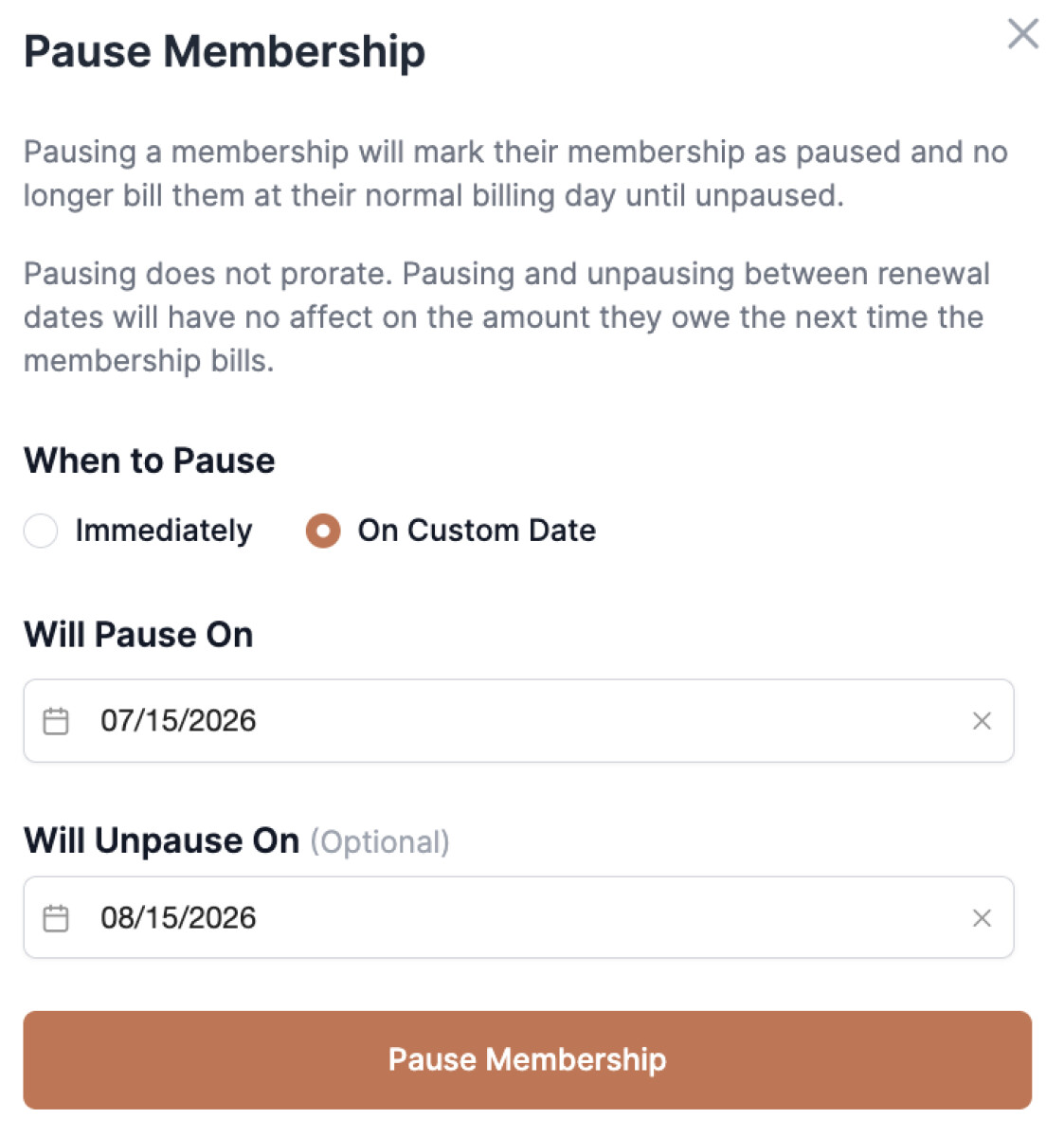
Note: If there is a desire for partial payments/prorating, it's actually better to cancel membership altogether. Studio managers have the option to prorate the cancellation. If they have remaining time in their month, it will add Account Funds to their account for that time/money. Then, whenever they start back up, the amount will prorate depending on the time of the month they sign up for – and use any Accounts Funds that are in account at the time.
Membership Plan Future Changes
If you have a member who is wanting to switch Membership Plans, you can now schedule that out as well.
NAVIGATE TO: Users > All Users > Search name of User, click into their profile > Scroll down to click Edit Membership > Select Membership Plan they are switching to > Click Review Membership Change
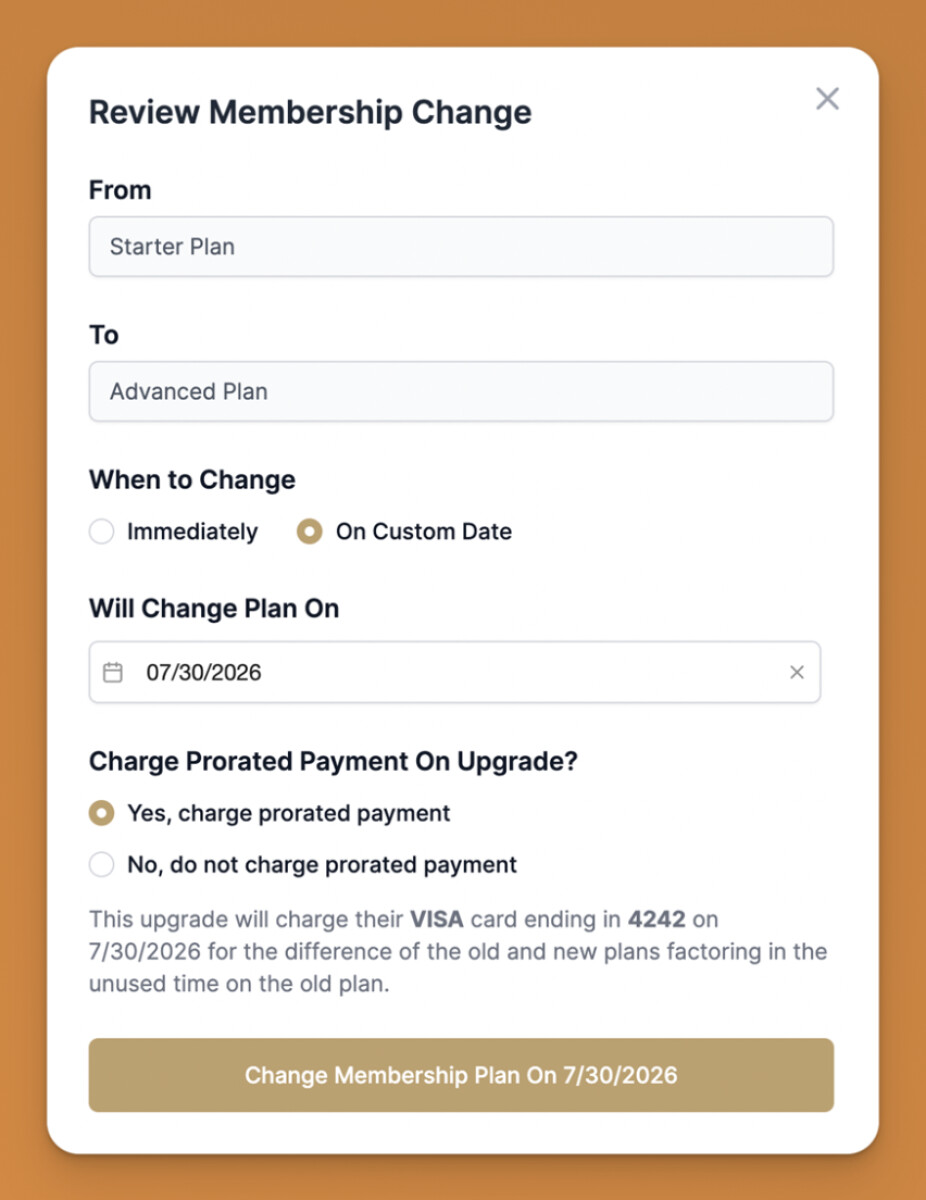
You can set custom future date as well as decide if you want to prorate or not.